
# When will my EI payment arrive after I submit a report?
If you already receive Employment Insurance (EI) and use direct deposit, Service Canada says your payment is generally deposited 2 to 3 business days after you complete a report. That is a planning guide, not a date promised for your claim. Your first payment follows a different path: Service Canada must assess your application, and payments are issued only after reports are processed. Before you count on the money for a bill, check both your EI information and your bank balance.
Is this your first payment or a later one?
For a later payment, the question is usually what happened after your latest report. Most EI recipients complete a report every two weeks to continue receiving benefits. The report covers the period Service Canada asks about, including hours, earnings and other money where applicable. Once you submit it, you are shown when the next report is due; you cannot submit that next report early. The general 2-to-3-business-day direct-deposit guidance begins after a report is completed, but an individual payment can take a different course.
For a first payment, submitting a report does not mean the application has already been decided. Service Canada says an eligible applicant who provides all required information will generally receive the first payment about 28 days after applying. It also has a service standard to make a decision within 28 days for 80% of applications. These are different measures, and neither gives your claim a guaranteed date. A request for more information can change the time needed. Use your own claim status and messages to understand what stage you are in, rather than applying the later-payment rule to a new claim.
If you have not yet set up direct deposit, do not assume the direct-deposit timing describes your payment method. Service Canada's EI reporting guidance explains the general sequence; its after-you-apply guidance explains the first-payment context. Neither page can tell you the exact arrival date for your account.
What happens between a report and money you can use?
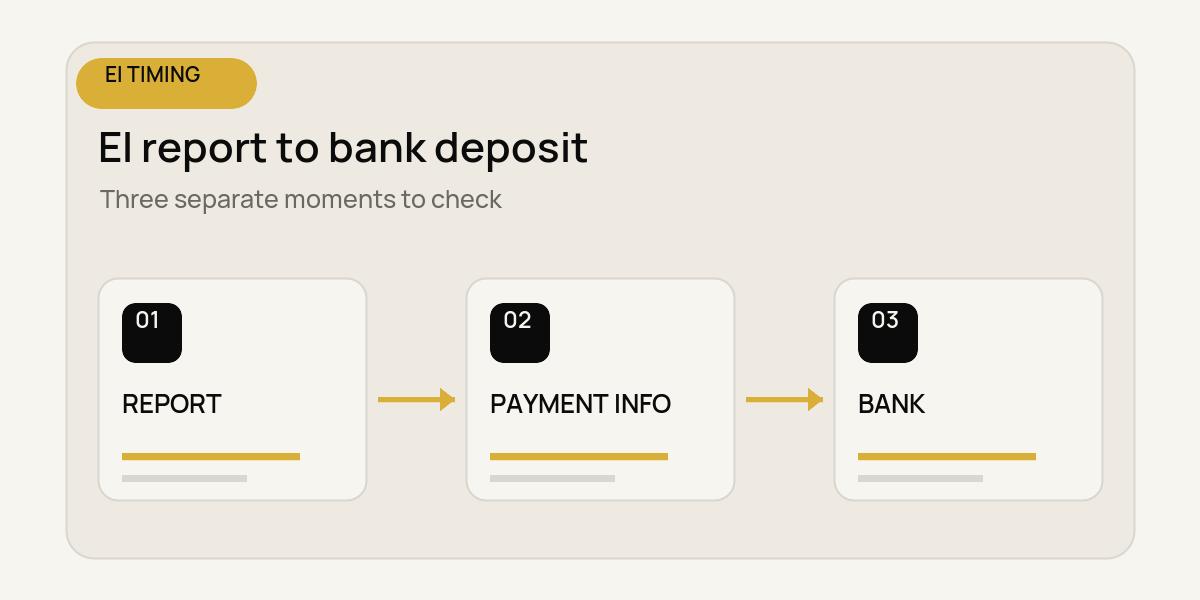
Think of three separate events: you submit the report, Service Canada processes it and updates payment information, and your bank makes a deposit available. A report-submission confirmation tells you the first event happened. Payment information in My Service Canada Account (MSCA) helps with the middle event. Only your bank account can confirm the last event.
Service Canada says EI reports are processed Sunday through Thursday evenings, and payment information in MSCA is updated the next business day after processing. A report filed Friday or Saturday generally appears on Monday. Holidays can affect that pattern. This explains why information may not appear the moment you press submit. It also explains why a bank deposit might still be pending after MSCA displays payment information. The two screens answer different questions.
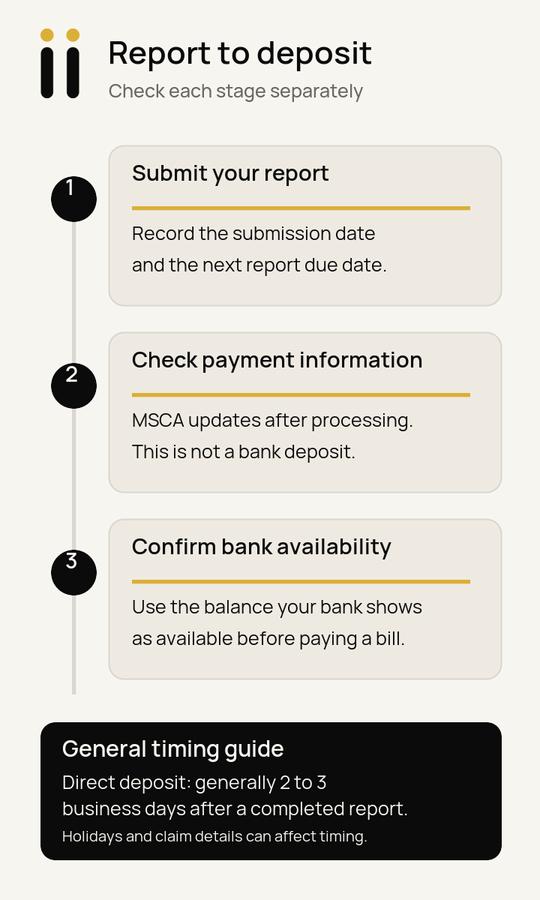
If your report is complete and your claim is moving normally, Service Canada's general direct-deposit guidance is 2 to 3 business days after the report. Count business days, and leave room for holidays and any request for more information. Treat that window as a prompt to check, not a commitment to schedule a withdrawal. The MSCA EI services page describes where report and payment information appears and when it updates.
What should you check if a payment is not showing?
Start with the stage you can verify. Look for your report submission and the next report due date. Then check MSCA for claim status, messages, and report or payment information. If Service Canada asks for information, follow its instructions through its official channels. If payment information appears but your bank balance has not changed, check the bank separately. A listed payment and an available deposit are not interchangeable.
Write down what each source actually shows, with a date, rather than guessing what a blank field means. A missing payment line may mean information has not updated yet; it does not, by itself, explain why. Likewise, a bank notification can arrive on a different schedule from MSCA's update. If the normal guidance has passed or a message needs attention, use Service Canada's official account or contact routes for a claim-specific answer. A budget estimate cannot settle a claim question.
This sequence is useful even when you have no current problem. It gives you a clear stopping point before treating a future payment as spendable: the bank deposit is available. If a bill falls before that point, plan around the confirmed funds you have today.
A fictional bill-planning example
Fictional example, for planning only: Maya has submitted an EI report and has a $90 phone bill due on Thursday. Her current bank balance is $65, and she expects an EI direct deposit, but she has not seen it at the bank. This example assumes the $65 is available, the $90 bill is the only item being considered here, and no overdraft or other funds are available. It does not assume an EI payment amount or claim outcome.
The arithmetic she can trust today is simple: $65 available minus a $90 bill leaves a $25 shortfall. A payment entry in MSCA would not erase that shortfall until the bank deposit is available. Maya records the report date, checks MSCA for processing and messages, and checks her bank for the actual deposit. She also decides how to handle the bill using confirmed funds and the biller's terms. She does not put a guessed EI date into an automatic withdrawal.
For a broader view, a payday and bill calendar can show where this bill falls against money already available. If your income arrives on a two-week rhythm, the biweekly pay and monthly bills guide offers a way to map ordinary pay; keep EI's report and deposit steps separate from an employer's pay schedule. You can also compare automatic payments with reminders when timing is uncertain, or read about asking to change a bill due date. Those are bill-planning choices, not ways to speed up EI processing.
Copy this five-field EI payment check
Keep this in a note for each report. Use a date or “not yet confirmed” for every field; never replace an unknown with a guessed zero or a promised arrival date.
1. Report submitted: Date and any confirmation you can see: ______
2. Next report due: Date shown after submission: ______
3. MSCA status or message: What it actually says, and the date checked: ______
4. MSCA payment information: What appears, and the date checked: ______
5. Bank deposit available: Amount visible as available, and the date checked: ______
The fifth field is the one to use when deciding whether a bill can be paid from that deposit. If it is blank, return to the amount already available in your account and your bill dates. This check keeps a first-payment application, a later report, an MSCA update and a bank deposit from becoming one assumed “payday.”
EI timing is personal to the claim and the reporting cycle. Service Canada's guidance gives you a useful order of operations; your account information and bank show which steps have actually happened. If you want more calm, practical ways to organize changing pay and bills, you can join the Romii waitlist.